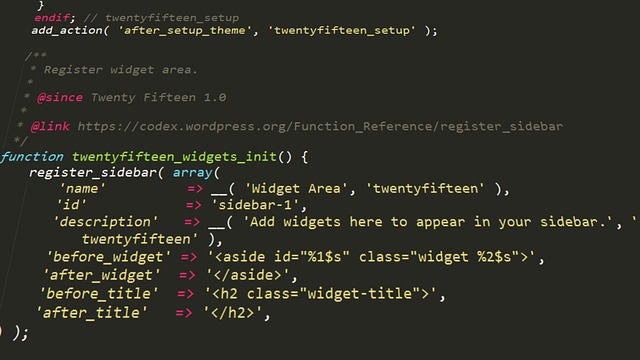
Master WordPress Customization: Top Tips for a Unique Site Design
In today’s digital landscape, creating a distinctive website is crucial for standing out from the competition. WordPress, being one of the most popular content management systems, provides numerous options for enhancing your site’s design through customization. Mastering WordPress customization can make your website not only visually appealing but also functional and user-friendly. In this article, we’ll explore key tips and techniques to achieve a unique site design that resonates with your brand identity.
Why Customization Matters in WordPress
Customization allows you to tailor your WordPress site to reflect your brand’s personality. A unique design not only helps in branding but also enhances user experience, leading to longer visit durations and higher conversion rates. Customizing your WordPress site effectively can:
- Boost user engagement and retention
- Improve search engine ranking
- Differentiate your brand from competitors
Top Tips for Mastering WordPress Customization
1. Choose the Right Theme
Your journey into WordPress customization starts with selecting the right theme. A good theme serves as the foundation of your website’s design. Look for themes that are:
- Responsive: Ensure that the theme works well on all devices, including smartphones and tablets.
- Customizable: A theme that offers built-in customization options will simplify your design process.
- SEO-Friendly: Choose themes optimized for search engines to enhance your website’s visibility.
Popular WordPress themes such as Astra, Divi, and OceanWP offer extensive customization options that cater to different niche websites.
2. Utilize Page Builders for Greater Flexibility
Page builders like Elementor, Beaver Builder, and WPBakery Page Builder can significantly enhance your customization capabilities. These tools allow you to:
- Drag and Drop: Easily arrange elements on your page without needing to write code.
- Pre-Designed Templates: Leverage ready-made templates to jumpstart your custom designs.
- Custom Elements: Incorporate unique sections like sliders, galleries, and testimonials effortlessly.
Using a page builder not only saves time but also opens up a world of design possibilities that can set your site apart.
3. Customize Your Header and Footer
The header and footer are crucial design elements that can elevate your WordPress site. Here’s how to customize them:
- Add a Logo: Ensure your logo is prominently displayed in the header to enhance brand recognition.
- Social Media Links: Include icons linking to your social media profiles for easy access and engagement.
- Contact Information: Providing contact details in the footer helps users reach you effortlessly.
Customizing these areas not only improves aesthetics but also enhances user navigation throughout your site.
4. Leverage Custom CSS for Unique Styles
If you’re familiar with CSS, adding custom styles can drastically change the look and feel of your site. You can customize:
- Colors: Alter the color scheme to match your branding.
- Fonts: Change typography to improve readability and style.
- Spacing: Adjust margins and padding to present elements more appealingly.
WordPress includes a custom CSS option in the theme customizer, enabling you to make adjustments without impacting the original theme files.
5. Enhance User Experience with Plugins
Plugins extend the functionality of your WordPress site and can play a significant role in its customization. Consider using:
- Slider Plugins: Plugins like Slider Revolution and Soliloquy enable you to create stunning image slideshows.
- Gallery Plugins: Use plugins like Envira Gallery to showcase your visual content in a stylish way.
- Contact Form Plugins: Incorporate forms using plugins like Contact Form 7 or WPForms to enhance user interaction.
When selecting plugins, ensure they are compatible with your theme and don’t compromise your site’s loading speed.
6. Optimize for Mobile Devices
With a significant portion of web traffic coming from mobile devices, it’s essential to customize your WordPress site for mobile users. Here are some tips:
- Responsive Design: Always check how your design looks on various screen sizes.
- Mobile Menus: Simplify navigation for mobile users by using collapsible menus.
- Touch-Friendly Elements: Ensure buttons and links are easily clickable on touch screens.
Mobile optimization is not just about aesthetics; it also affects your site’s SEO ranking.
7. Test and Iterate Your Designs
Once you’ve made customizations, it’s vital to test how they perform with your audience. Use tools like Google Analytics to track user engagement metrics, density, and behaviors. Pay attention to:
- Bounce Rates: Higher rates may indicate usability issues.
- Conversion Rates: Track whether users are completing desired actions on your site.
Continuous testing and iteration allow you to adapt your design based on real user feedback, leading to a more effective website.
Conclusion
Mastering WordPress customization is key to building a unique site that resonates with your audience and represents your brand effectively. By following the tips outlined above, you can create a visually stunning and highly functional website that stands out in the crowded online space. As you embark on your WordPress customization journey, remember that the most effective designs are those that prioritize user experience while encapsulating your brand essence. Start today, and transform your WordPress site into a powerful tool for success!
posted by Emad Zedan on 19 Jan 2026 in Uncategorized

